SAP BTP Neo
Prerequisites
To enable Avantra to monitor applications in the SAP Business Technology Platform Neo, some settings must be made in Neo.
Create OAuth API Client
An API client is required to connect Avantra to SAP BTP Neo. This client must be created for each subaccount in the SAP BTP Cockpit.
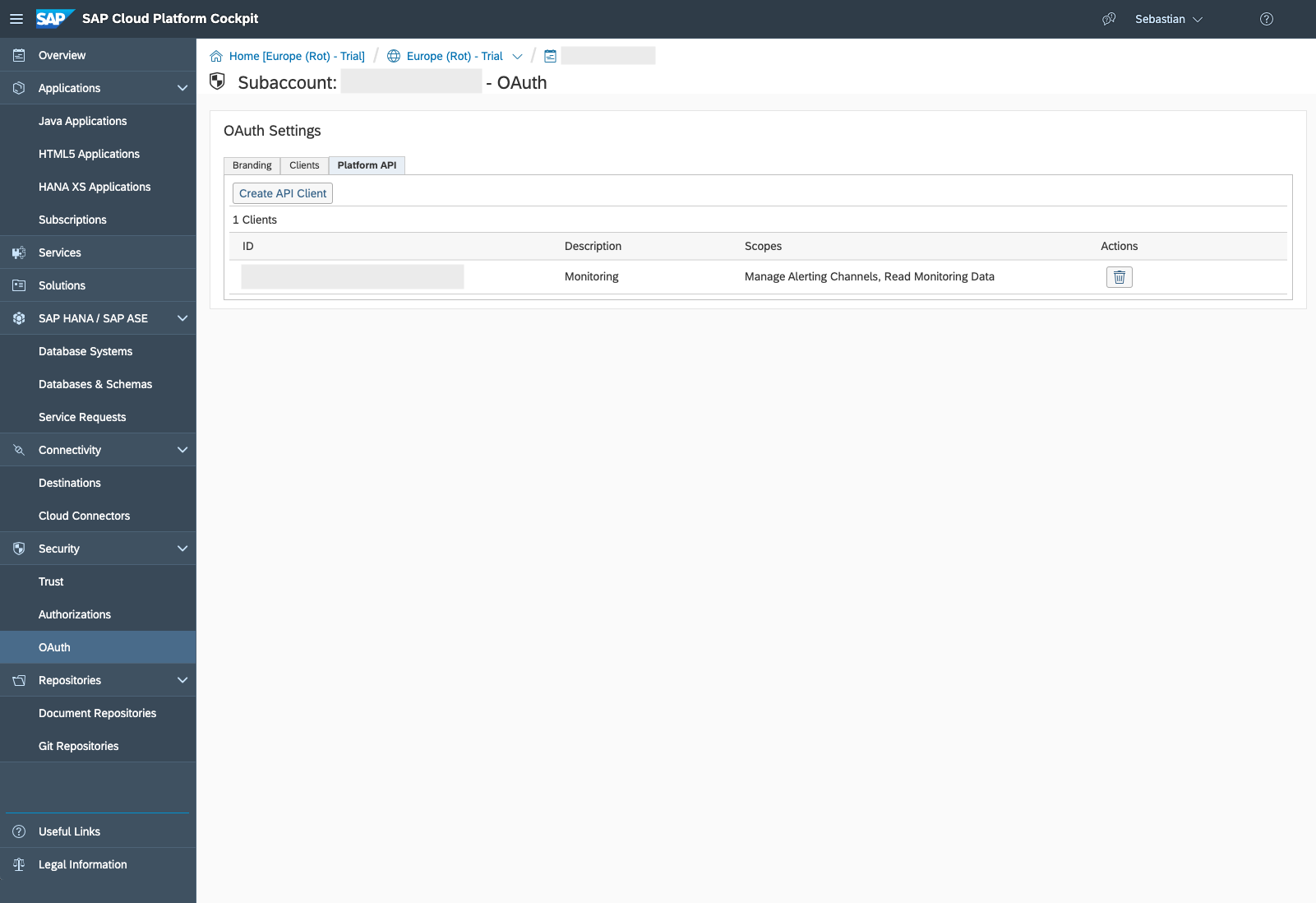
The scope needs to be set to Read Monitoring Data. The most convenient way to do this is to check the Monitoring Service API checkbox.
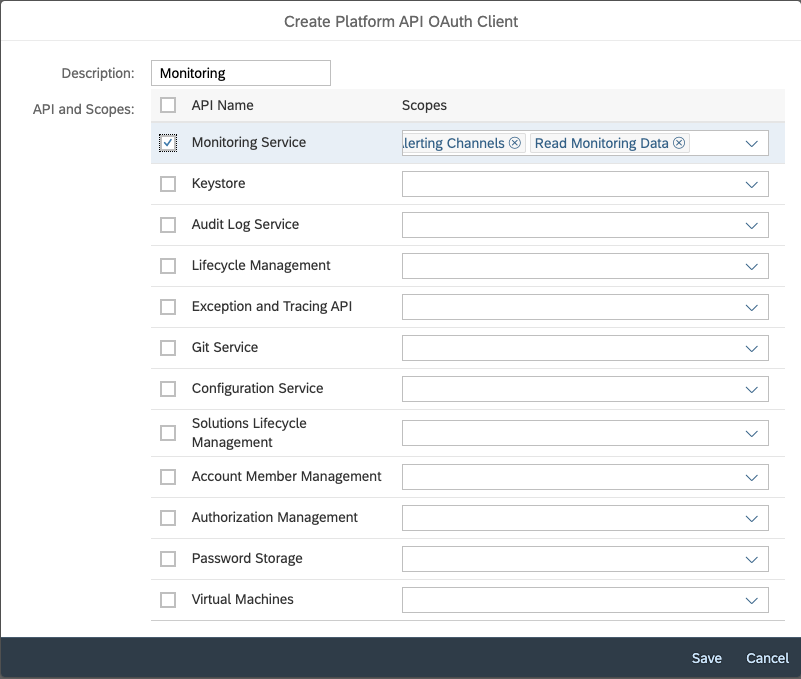
After the client is created, navigate to the Role Collections tab of the created client and assign the role Monitoring Service Viewer to the client.
The Client ID and the Client Secret are shown when the client is created.
Save both values immediately, as they are required for the configuration in Avantra, and they are only displayed once. If you lose the Client ID or the Client Secret, you must delete the API client and create a new one.
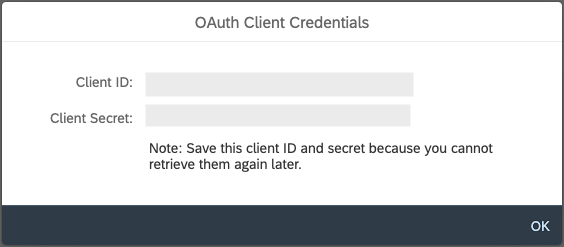
The configuration in Neo is now complete.
Prepare Avantra
Create OAuth Credentials in Avantra
Using the credential created in SAP BTP Neo, the credentials in Avantra can now be created.
- Navigate to Configuration > Integrations > Credentials.
- Click New.
- Define the Name of the credential, for example
SAP Neo OAuth. If this is left blank, a name will be generated. - Select a Customer to assign the credential to.
- To allow the credential to be sent to agents and be used in code (RUN_JS custom check and workflow steps), click the Available on Agent checkbox.
- Select OAuth (Client Credentials) from the Credential Type dropdown.
- Define a second Name for the credential, for example
SAP Neo OAuth Client Credentials. If the first Name field is left blank, this field will be used as the name of the credential. - Enter the
Client IDfrom the SAP BTP Neo API client in the Client ID field. - Enter the
Client Secretfrom the SAP BTP Neo API client in the Client Secret field. - Define the Access Token URL.
- (Optional) Define a Scope, which defines client access permissions for specific resources or actions.
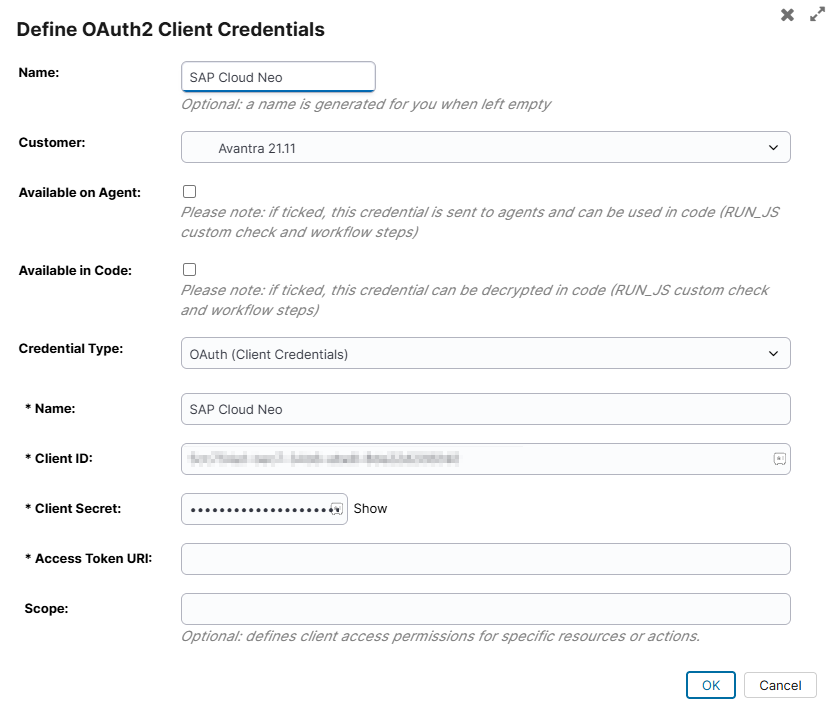
It is important that the Credential Type is set to
Create Cloud Service in Avantra
Now a Cloud Service can be created in Avantra to monitor the applications in SAP BTP Neo.
- Navigate to Systems > Cloud Services.
- Click New.
- Select SAP BTP, Neo environment from the Service Type dropdown.
- Enter a name in the Service field.
- Select a customer from the Customer dropdown.
- Select a role from the System Role dropdown.
- Click New.
This creates the service.
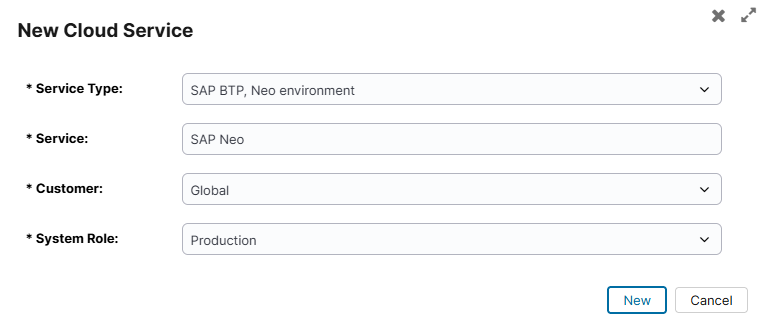
- If the service does not open automatically, double click on it in the list.
- In the Properties tab, under the SAP BTOP, Neo environment info section, configure the Subaccount Name and the Region.
Without these two pieces of information, Avantra cannot communicate with the SAP Business Technology Platform. - Click Apply.
- Configure the individual Java applications belonging to the subaccount under the SAP Neo Applications tab. A single cloud service instance can monitor multiple Java applications within a subaccount. The application names can be found in the SAP Business Technology Platform Cockpit.
- Click Apply to save.
Avantra will complete the remainder of the configuration automatically. Each application gets its own status check and its own metrics entry.
Checks and Metrics
For each configured Java application, Avantra creates a dedicated status check.
Each application also gets its own metrics entry with the following metrics collected per process:
| Metric | Description |
|---|---|
| CPU Load | CPU utilization |
| Disk I/O | Disk I/O (in KB) |
| Busy Threads | Number of busy threads |
| Requests per Minute | Request throughput |
| Average Response Time | Average request latency |
| Used Disc Space | Disk space usage |
| Heap Memory Usage | Java heap memory utilization |
| OS Memory Usage | Operating system memory usage |